
VIBE — AI Video Generator
VIBE is an AI video generator app that lets you create videos from text prompts or images using AI models like Kling, Sora, Veo, Seedance, and WAN.
- Text-to-video: type a prompt, get a video
- Image-to-video: upload a photo, animate it
- 10+ AI models: Kling, Sora, Veo, Seedance, WAN
- No login required — free to start
- Available on iOS and Android


- AI Models
- 10+
- AI Models
- Videos Created
- 1M+
- Videos Created
- App Rating
- 4.8★
- App Rating


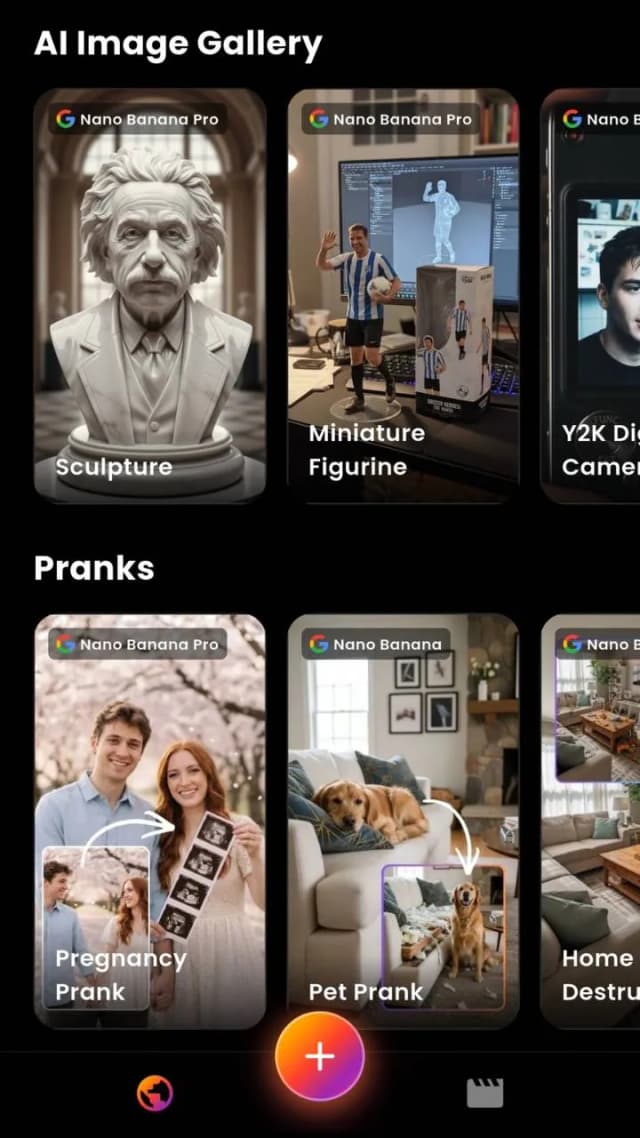
AI Video Generator: Turn Text Into Cinematic Videos
VIBE generates videos from text prompts. Type a description — a product demo, a nature scene, a character animation — and the app produces a video in seconds using AI.
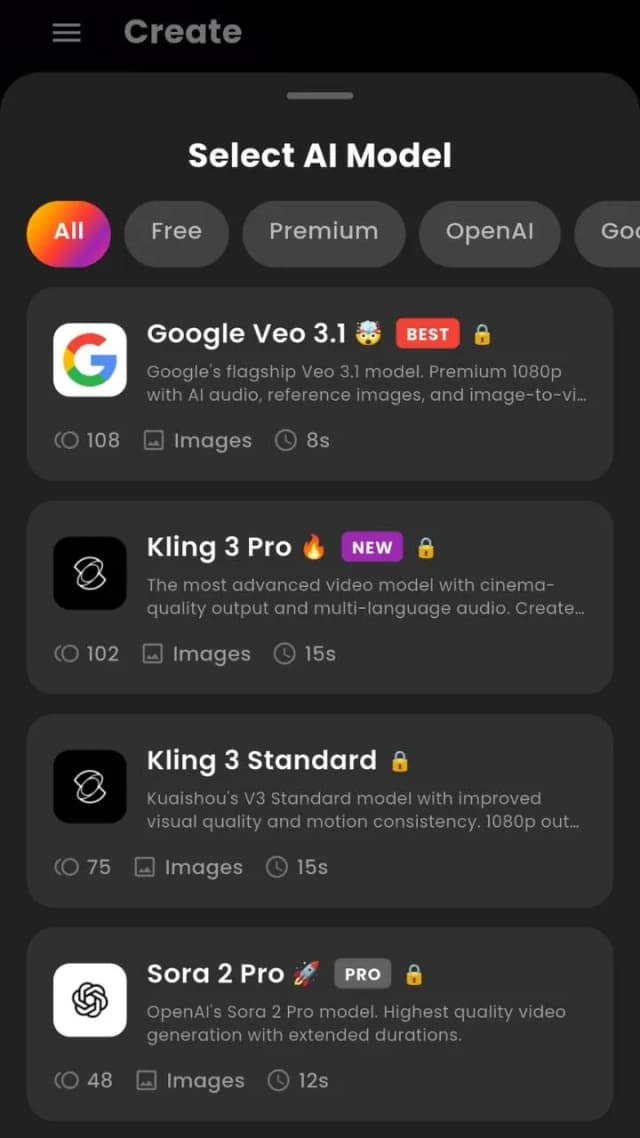
You choose the AI model. Options include Google Veo 3.1 Fast (1080p with audio), Kling 3 Pro (1080p, 15s), OpenAI Sora 2 Pro (1080p, 12s), and Seedance Pro Fast (720p, free).
AI Video From Image: Animate Any Photo Instantly
Upload a photo and VIBE generates a video from it. The AI adds motion, camera movement, and physics to the image. Supported inputs include product photos, portraits, landscapes, illustrations, and AI-generated art.
Models that support image-to-video include Kling 3, Seedance, and Wan 2.6. Output formats include 16:9 for YouTube, 9:16 for TikTok and Reels, and 1:1 for feed posts.
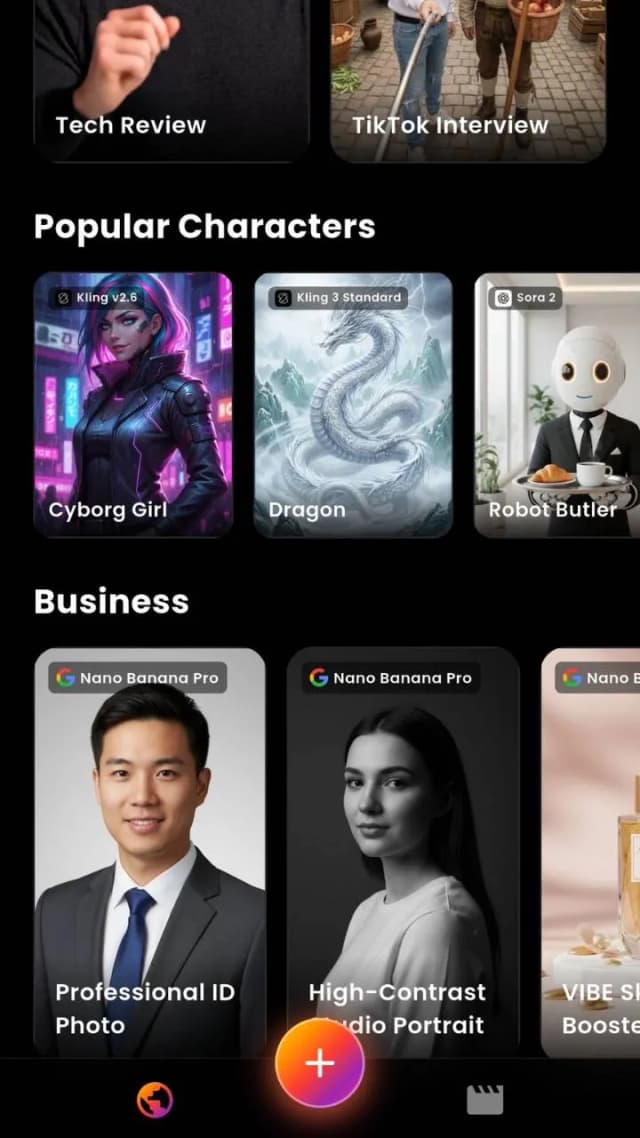
Access the World's Best AI Video Models
VIBE includes 10+ AI video models in one app: Google Veo 3.1 Fast, Kling 3 Pro, OpenAI Sora 2 Pro, Seedance Pro Fast, LTX Video, Luma Dream Machine, Wan 3.0, Wan 2.6, and PixVerse. Free and premium tiers are available. New: Wan 3.0 generates up to 30 seconds of video with audio from text, a single image, or multiple reference images.

Wan 3.0
1080p, 30s, Audio


LTX Video
720p, 5s

Luma Dream Machine
720p, 5s

PixVerse
720p, 5s

Ideogram
AI Images
VIBE lets you compare output from multiple AI video models side by side. Generate the same prompt with Veo 3.1, Kling 3, Sora 2, and Wan 2.6 in one app — without switching platforms or paying for separate subscriptions.
Everything Happens Inside One App
No browser required. No complicated setup. Open VIBE on your iPhone or Android, pick a model, type a prompt, and your video is ready.
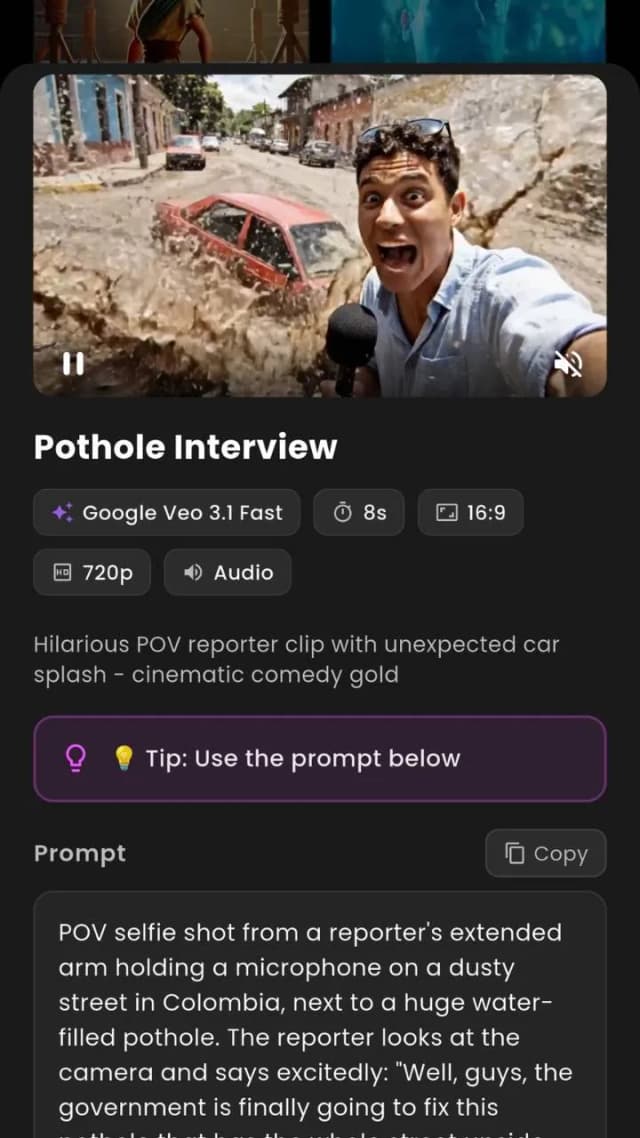
Free to download. No login required.
AI Video Prompt Examples That Produce Real Results
The quality of an AI-generated video depends on the prompt. VIBE supports detailed text prompts for all models. Below are example prompts organized by category — copy them directly or use them as a starting point.
Cinematic & Realistic
AI Video That Looks Real- “A slow-motion shot of ocean waves crashing against rocks at sunset, golden light reflecting off the water, 4K cinematic look”
- “A woman walking through a busy Tokyo street at night, neon signs reflected in puddles, shallow depth of field”
- “A golden retriever running through a wheat field in slow motion, warm afternoon light, documentary style”
Product & Ad Creative
AI Video Ad Generator- “A white sneaker rotating on a pedestal, clean studio lighting, soft shadow, minimalist background, product commercial”
- “A coffee cup with steam rising, placed on a wooden table, morning sunlight through a window, lifestyle ad”
- “A smartphone on a reflective surface, app interface glowing, dark background, tech product reveal”
Animation & Fantasy
AI Video Animation Generator- “An anime character with flowing blue hair standing on a cliff, wind blowing, cherry blossoms in the air, Studio Ghibli style”
- “A dragon flying over a medieval castle at dusk, fire breath illuminating the clouds, fantasy cinematic”
- “A pixel art character running through a retro platformer world, side-scrolling camera, 8-bit aesthetic”
Social Media & Short-Form
AI Video Clip Generator- “A motivational text quote appearing letter by letter on a gradient background, smooth kinetic typography, 9:16 vertical”
- “A flat lay of skincare products with gentle rotation, pastel colors, clean aesthetic, Instagram Reels format”
- “A time-lapse of a city skyline from day to night, clouds moving fast, lights turning on, TikTok vertical”
VIBE works with any text prompt. Describe the scene, specify a camera angle, mention a visual style, and select the AI model that fits. Veo 3.1 Fast and Kling 3 Pro produce the most realistic output. Seedance Pro Fast and Wan 2.6 are available for free. Each model interprets prompts differently — try the same prompt on multiple models to compare results.
Type It. Tap Generate. Done.
This is the entire workflow. One sentence in, one video out. No editing timeline, no assets required, no experience needed.
“A dense, verdant jungle world made up of small lego-like pieces. We see a rainbow chameleon running through the 3D world, the camera in and out of focus.”
Every video on this page was generated with a single text prompt. No filming. No editing.
AI Video Generator for Every Creator
VIBE supports video generation for YouTube, TikTok, Instagram, ads, animation, and personal projects. Select the aspect ratio and AI model that fits your use case.
YouTube & Content Creation
Generate B-roll, intros, and transitions for YouTube videos. Export in 16:9 format. No production crew or editing software needed.
TikTok & Instagram Reels
Generate short-form videos in 9:16 format for TikTok, Reels, and Shorts. Create multiple variations from one prompt.
Ads & Marketing
Generate video ad variations from text prompts. Test different creative directions quickly. Works for product marketing, e-commerce, and agencies.
Animation & Art
Turn sketches, illustrations, or AI-generated art into animated video. Supports anime, fantasy, and character animation styles via text prompts.
Business & Professional
Create product demonstrations, training videos, and presentation clips. Generate professional video content without video editing skills.
Personal & Creative
Animate pet photos, create personalized videos, or experiment with AI-generated scenes. The app is free to start with no login required.
UGC Content
Generate user-generated-style video content for brands and creators. Produce authentic-looking clips from text prompts without filming, actors, or studio setups.
Anime
Create anime-style video clips from text prompts or reference images. Generate character animations, action sequences, and stylized scenes using AI models that support anime aesthetics.
Viral Videos
Generate scroll-stopping video content optimized for social media algorithms. Test multiple creative angles from a single prompt and publish the best-performing version to TikTok, Reels, or Shorts.
AI Video Generator for YouTube, TikTok & Instagram
VIBE generates AI video clips in the exact format each platform requires. Select your aspect ratio before generating — no cropping, no re-editing, no third-party tools needed.
TikTok & Instagram Reels
Vertical video for short-form content. Generate AI clips optimized for TikTok, Instagram Reels, and YouTube Shorts. Models like Kling 3 and Veo 3.1 produce realistic vertical video.
YouTube
Landscape video for YouTube content. Generate B-roll, intros, transitions, and full scenes. Export in HD and upload directly to YouTube.
Instagram & Facebook Feed
Square video for feed posts. Generate product videos, ad creative, and visual content for Instagram, Facebook, and LinkedIn feed formats.
How to Generate AI Video Ads
VIBE works as an AI video ad generator. Write a prompt describing your product, select a model like Veo 3.1 Fast or Kling 3 Pro for realistic output, choose 9:16 for Stories or 16:9 for pre-roll ads, and tap Generate. Create multiple ad variations from a single prompt and compare output across different AI models. Export the video and upload it to Meta Ads, Google Ads, or TikTok Ads Manager.
Traditional video ad production requires a film crew, editing software, and days of turnaround time. With VIBE, a single text prompt replaces the entire production pipeline. Describe your product, set the tone — whether it is a clean product showcase, a lifestyle scene, or a fast-paced promo — and the AI generates a ready-to-publish video in seconds. Run A/B tests by generating the same concept across multiple AI models like Kling 3 Pro, Veo 3.1, and Sora 2, then compare which creative performs best before spending ad budget. VIBE supports every major ad format: vertical 9:16 for Instagram Stories and TikTok In-Feed, landscape 16:9 for YouTube pre-roll, and square 1:1 for Facebook and LinkedIn feed placements.
Free AI Video Maker — No Login, No Limits
VIBE includes free AI video models that you can use without creating an account, entering payment information, or signing in. Download the app, type a prompt or upload an image, and generate a video immediately.
Seedance Pro Fast
720p, up to 8 seconds
FreeNewest free model
LTX Video
720p, up to 5 seconds
FreeFast generation
Luma Dream Machine
720p, up to 5 seconds
FreeImage-to-video support
Wan 2.6
720p, up to 8 seconds
FreeText and image input
PixVerse
720p, up to 5 seconds
FreeStylized output
What You Get for Free
Text-to-Video Generation
Type any text prompt and generate a video using free AI models. Output resolution is 720p with durations of 5 to 8 seconds depending on the model.
Image-to-Video Generation
Upload a photo and animate it with free models like Wan 2.6 and Luma Dream Machine. The AI adds motion and camera movement to your image.
No Account Required
No email, no sign-up form, no login screen. Open the app and start generating. VIBE is one of the only AI video generator apps that requires no account.
All Aspect Ratios
Free models support 16:9, 9:16, and 1:1 output. Generate vertical videos for TikTok, landscape for YouTube, or square for Instagram feed posts.
Premium models (Veo 3.1, Kling 3 Pro, Sora 2 Pro) are available with a subscription for 1080p output, longer durations, and AI audio generation.
Frequently Asked Questions About AI Video Generation
Yes. VIBE is an AI video generator app that lets you create videos from text prompts or images using AI models like Kling, Sora, Veo, Seedance, and WAN. It is available on iOS and Android. No account or login is required to start generating videos.
With Wan 3.0, VIBE generates videos up to 30 seconds long with audio — from a text prompt, a single image, or multiple reference images. Other models range from 5 to 15 seconds: Veo 3.1 Fast and Seedance Pro Fast produce 8 seconds, Kling 3 up to 15 seconds, and Sora 2 Pro up to 12 seconds. VIBE AI Video Generator is available for iOS and Android.
Yes. VIBE supports text-to-video generation. You type a prompt describing the scene you want, select an AI model like Veo 3.1 Fast or Kling 3, choose your aspect ratio and duration, then tap Generate. The video is typically ready in seconds.
Yes. VIBE supports image-to-video generation. Upload any photo — a portrait, product shot, landscape, or artwork — and the AI model will animate it with motion, camera movement, and physics. Models like Kling, Seedance, and Wan support this feature.
Yes. VIBE includes free AI video models such as LTX Video, Luma Dream Machine, Wan 2.6, and Seedance Pro Fast. Premium models like Veo 3.1, Kling 3 Pro, and Sora 2 are available with a subscription. You can start generating videos immediately without payment.
VIBE supports 10+ AI video models: Google Veo 3.1 Fast (1080p with audio), Kling 3 Pro and Standard, OpenAI Sora 2, Seedance Pro Fast, LTX Video, Luma Dream Machine, Wan 3.0 (1080p, up to 30s with audio), Wan 2.6, and PixVerse. New models are added regularly.
VIBE is designed for short-form video output. It supports 9:16 aspect ratio for TikTok, Instagram Reels, and YouTube Shorts. You can generate videos from text or images and export them directly. Models like Kling 3 and Veo 3.1 produce realistic results suited for social media.
No. VIBE lets you generate AI videos without any login or account creation. Download the app from the App Store or Google Play and start creating immediately.
VIBE is a native app available on iOS (iPhone and iPad) via the App Store and on Android via Google Play. It is a mobile-first AI video generator app.
Yes. VIBE supports multiple aspect ratios: 16:9 for YouTube, 9:16 for TikTok and Instagram Reels, and 1:1 for feed posts. You generate a video, download it, and share it to any platform.
VIBE gives you access to 10+ AI video models in one app, including Kling, Sora, Veo, Seedance, and WAN. Most other tools offer 1 to 3 models. VIBE also requires no login, includes free models, supports both text-to-video and image-to-video, and runs natively on iOS and Android.

Start Creating AI Videos Today
Download VIBE for free on iOS and Android. No login required. Access 10+ AI video models and generate videos from text prompts or images.
- Free to Start
- No Login Needed
- iOS & Android